
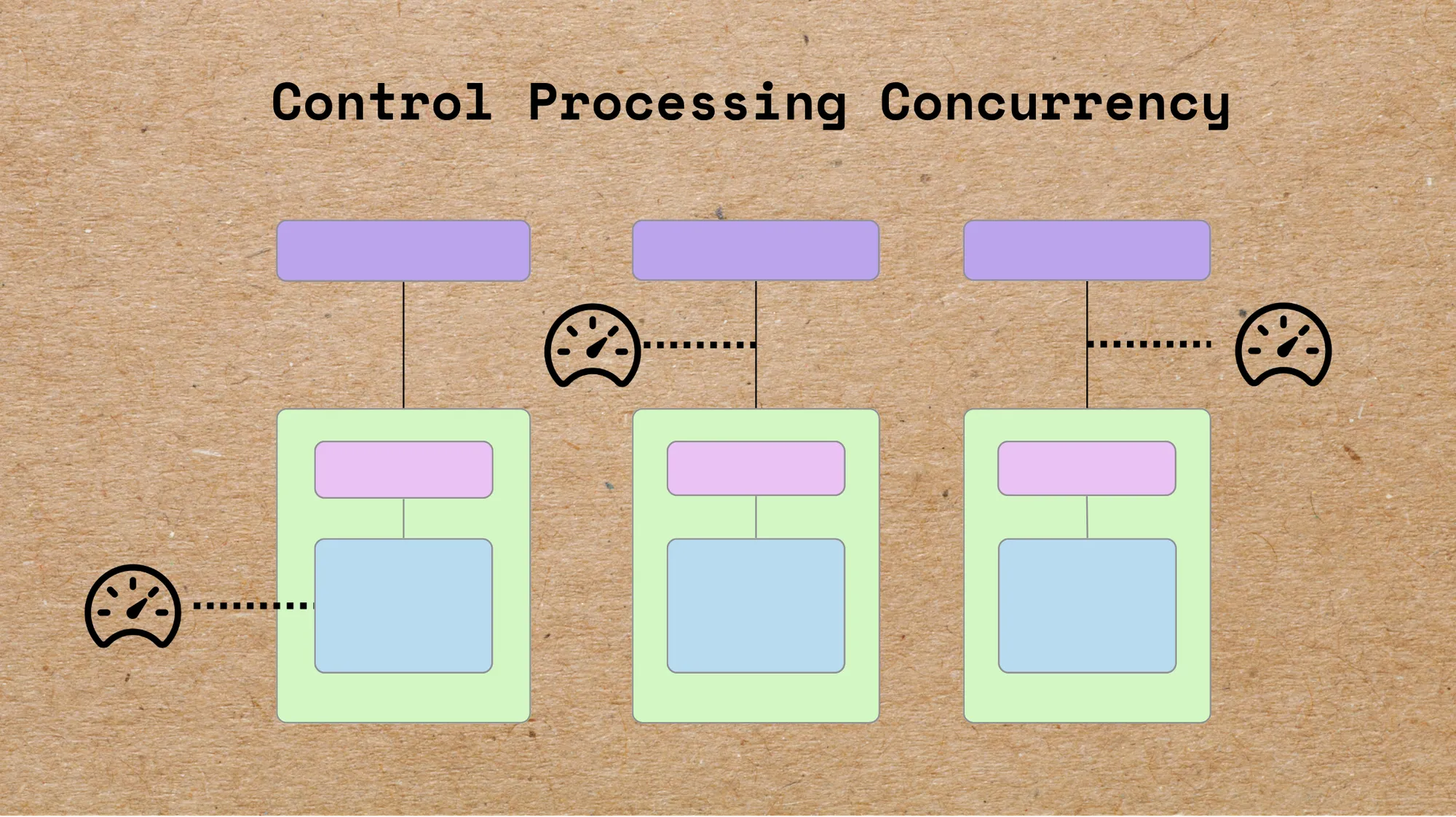
CocoIndex is designed to be production-ready from day one, built to process data in parallel, maximizing throughput while keeping your systems safe. Today, we’ll look at how to optimize performance without overloading your environment. With CocoIndex, it’s just one configuration away.
CocoIndex’s parallelism model boosts speed by processing multiple data items at once, but more parallelism isn’t always better. Left unconstrained, excessive concurrency can strain, or even destabilize, your systems. That’s why CocoIndex includes built-in concurrency control mechanisms that strike the right balance between raw performance and system stability, even at massive scale.
Processing too many items simultaneously can cause:
- Memory exhaustion – large datasets loaded at once consume massive amounts of RAM.
- Resource contention – CPU, disk I/O, and network bandwidth get overwhelmed by competing operations.
- System instability – timeouts, degraded performance, or outright crashes.
Unlike generic concurrency features, CocoIndex lets you:
- Constrain both data volume (rows) and memory usage (bytes).
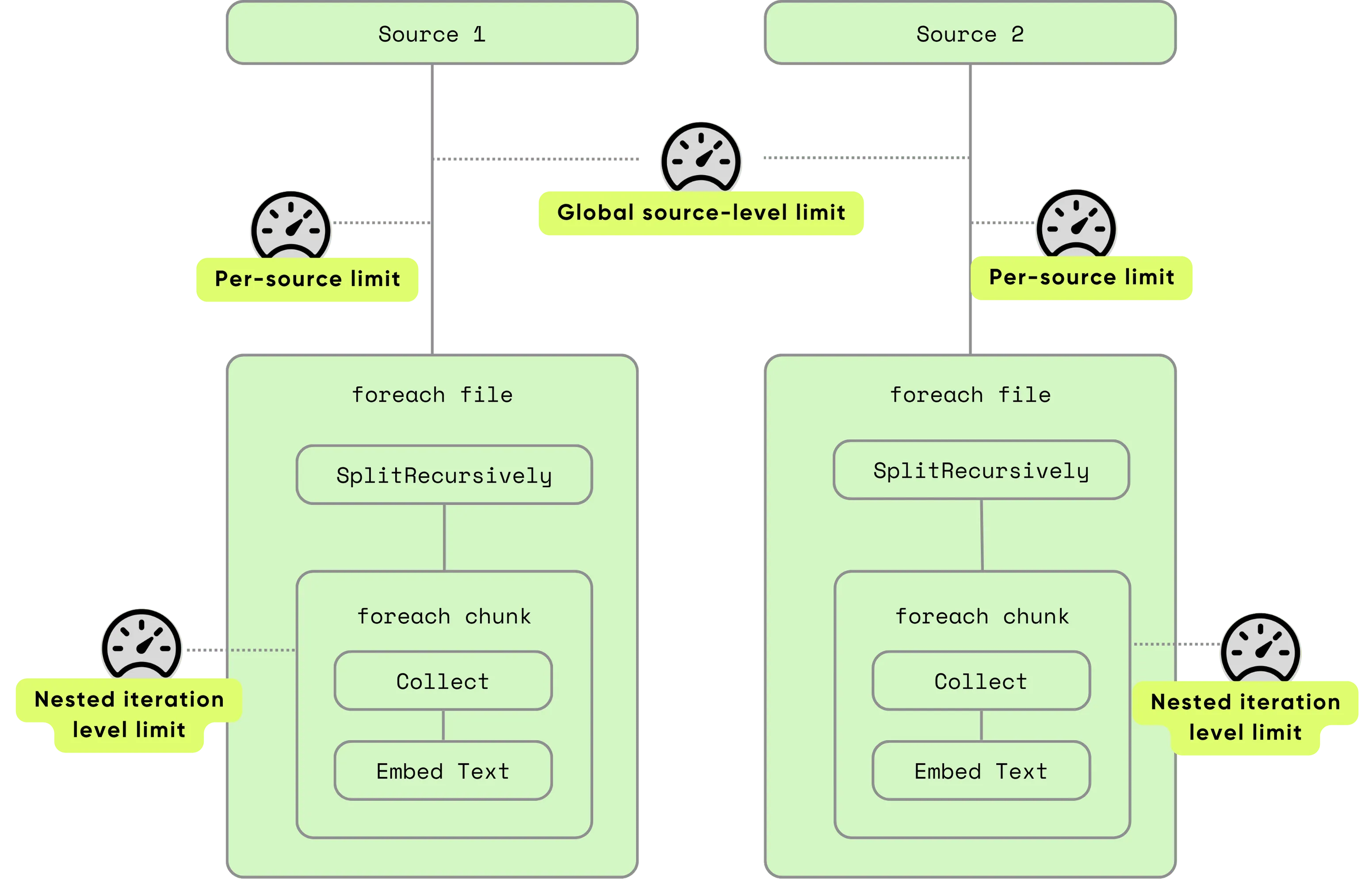
- Set limits at multiple layers: global, per source, and per-row iteration.
- Combine controls: all specified constraints must be satisfied before processing proceeds.
This layered approach ensures that resource-heavy sources don’t overwhelm the system, and nested tasks (such as splitting documents into chunks) remain predictable and safe.
You can review the full concurrency control documentation. CocoIndex is powering users to process at the scale of millions in production, :star: star us if you like it!
Concurrency options
CocoIndex provides two primary settings:
| Option | Purpose | Unit |
|---|---|---|
max_inflight_rows | Maximum number of rows processed concurrently. | rows |
max_inflight_bytes | Maximum memory footprint of concurrently processed data (before transformations). | bytes |
When a limit is reached, CocoIndex pauses new processing until some existing work completes. This keeps throughput high without pushing your system past its limits.
For simplicity, max_inflight_bytes only measures the size of data already in memory before any transformations; it does not include temporary memory used during processing steps.
Where to apply concurrency controls
1. Source level
Controls how many rows from a data source are processed simultaneously. This prevents overwhelming your system when ingesting large datasets.
Source level control happens at two different granularities:
- Global, in which all sources across all indexing flows share the same budget.
- Per-source, in which each source has its own budget.
Both global and per-source limits must pass before a new row is processed, providing two layers of safety.
Global concurrency: one setting to shield all flows
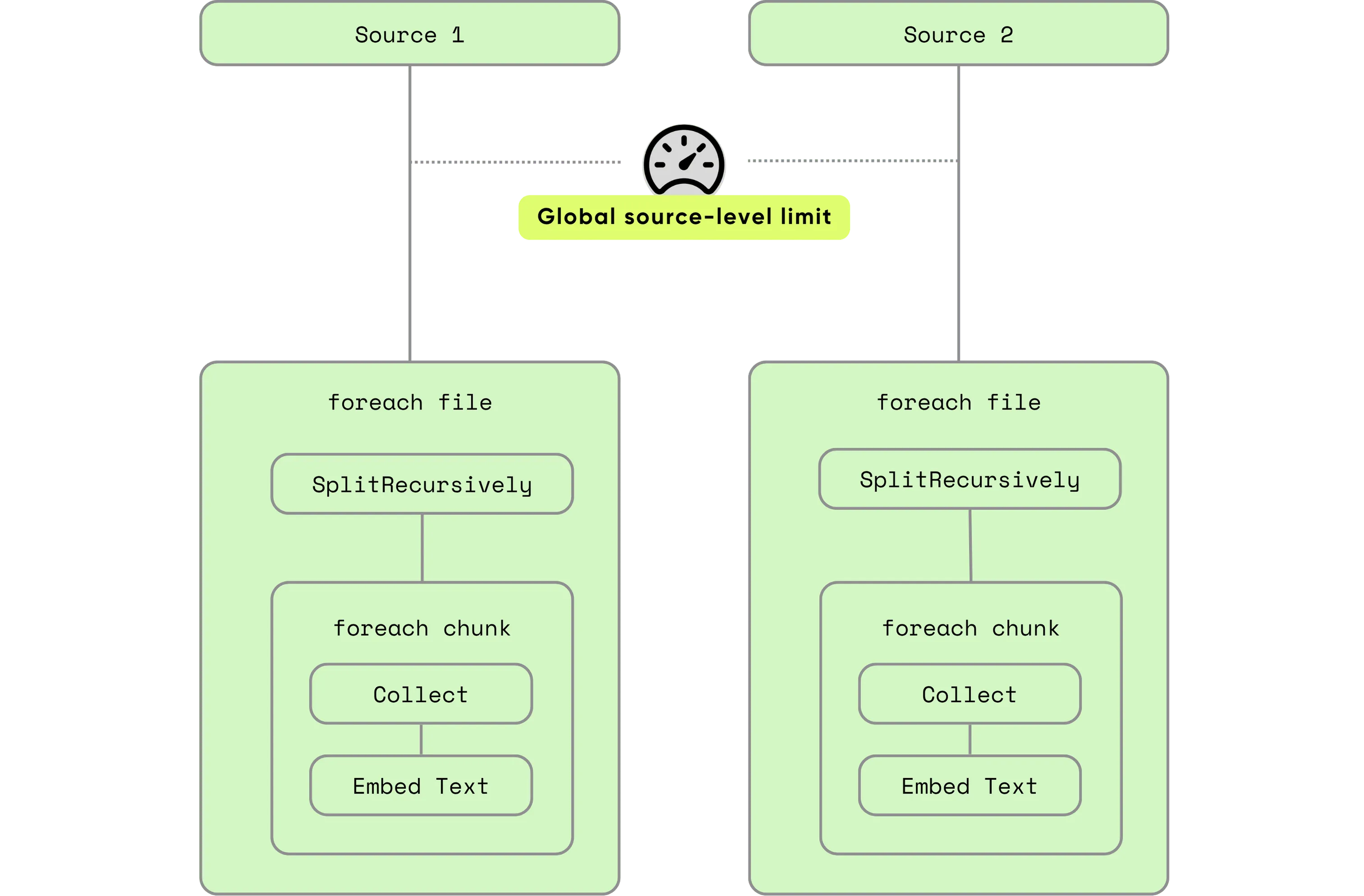
Global limits ensure your system never overshoots safe operating thresholds, even if individual flows attempt higher concurrency.
Apply system-wide protections either via environment variables or programmatic control:
The easiest way is to control it via environment variables:
export COCOINDEX_SOURCE_MAX_INFLIGHT_ROWS=256
export COCOINDEX_SOURCE_MAX_INFLIGHT_BYTES=1048576
Programmatically, configure it when calling cocoindex.init(), which will take precedence over the environment variable:
from cocoindex import GlobalExecutionOptions

cocoindex.init(
  cocoindex.Settings(
    ...,
    global_execution_options = GlobalExecutionOptions(
      source_max_inflight_rows=256,
      source_max_inflight_bytes=1_048_576
    )
  )
)
Currently, CocoIndex uses 1024 as the default value of global max inflight rows, if you don’t explicitly set it.
Per-source concurrency: granular customization
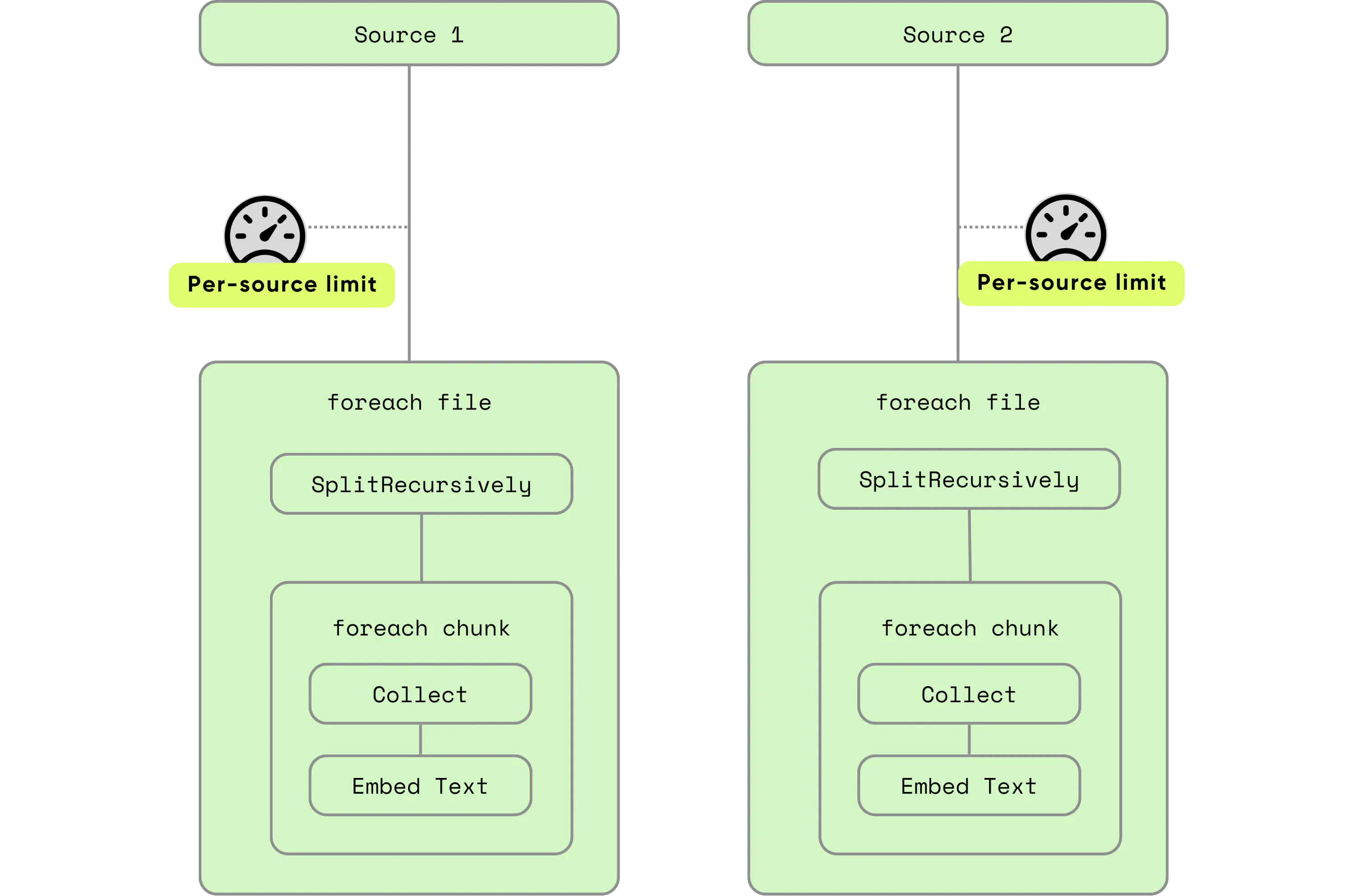
Set different limits for each source according to workload and data characteristics:
@cocoindex.flow_def(name="DemoFlow")
def demo_flow(flow_builder: cocoindex.FlowBuilder, data_scope: cocoindex.DataScope):
    data_scope["documents"] = flow_builder.add_source(
        DemoSourceSpec(...),
        max_inflight_rows=10,
        max_inflight_bytes=100*1024*1024  # 100 MB
    )
2. Nested iteration level concurrency: deep structural control
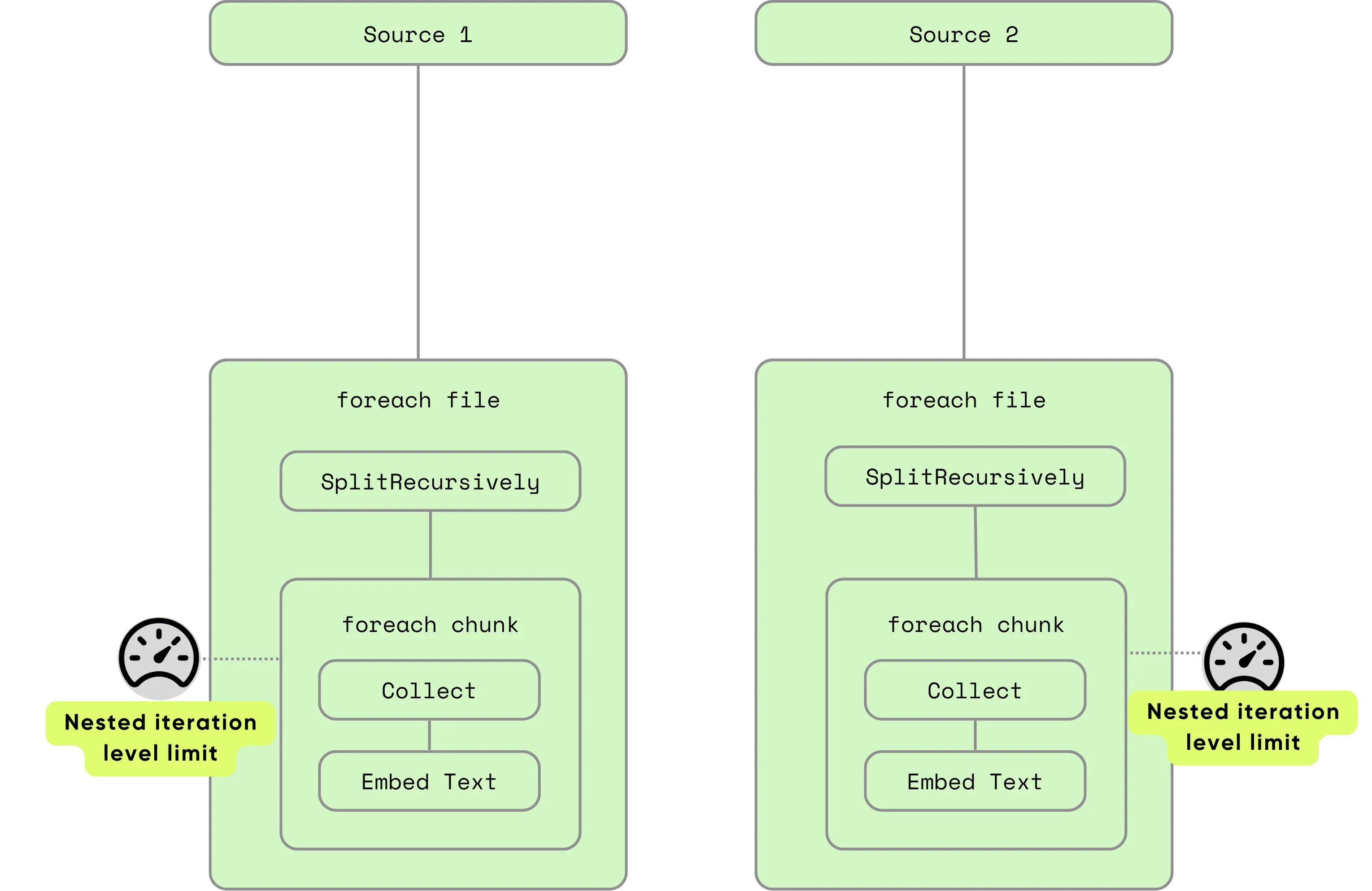
When processing nested rows, such as processing each chunk of each document, you can configure the maximum concurrent rows and/or bytes:
with data_scope["documents"].row() as doc:
    doc["chunks"] = doc["content"].transform(SplitRecursively(...))
    with doc["chunks"].row(max_inflight_rows=100, max_inflight_bytes=100*1000*1000):
        # Process up to 100 chunks in parallel per document
        ...
Summary table: concurrency configuration in CocoIndex
| Level | Configuration Path | Applies To |
|---|---|---|
| Global | Environment variables, or pass GlobalExecutionOptions to cocoindex.init() | All sources, all flows, added together |
| Per-Source | Arguments to FlowBuilder.add_source() | Specific source/flow |
| Row Iteration | Arguments to DataSlice.row(max_inflight_rows=...) | Nested iterations |
Best practices
In actual incremental pipelines, the processing bottleneck is usually at a few heavy operations, such as running inference using an AI model locally or via a remote API. It’s common to keep more data in memory even if it cannot be processed immediately. In this way, once the busy backend becomes available, new workloads can be taken on right away to keep the backends busy. However, we need a reasonable bound on this to prevent memory exhaustion and similar issues. That’s where concurrency control comes in.
Most situations - default is good enough
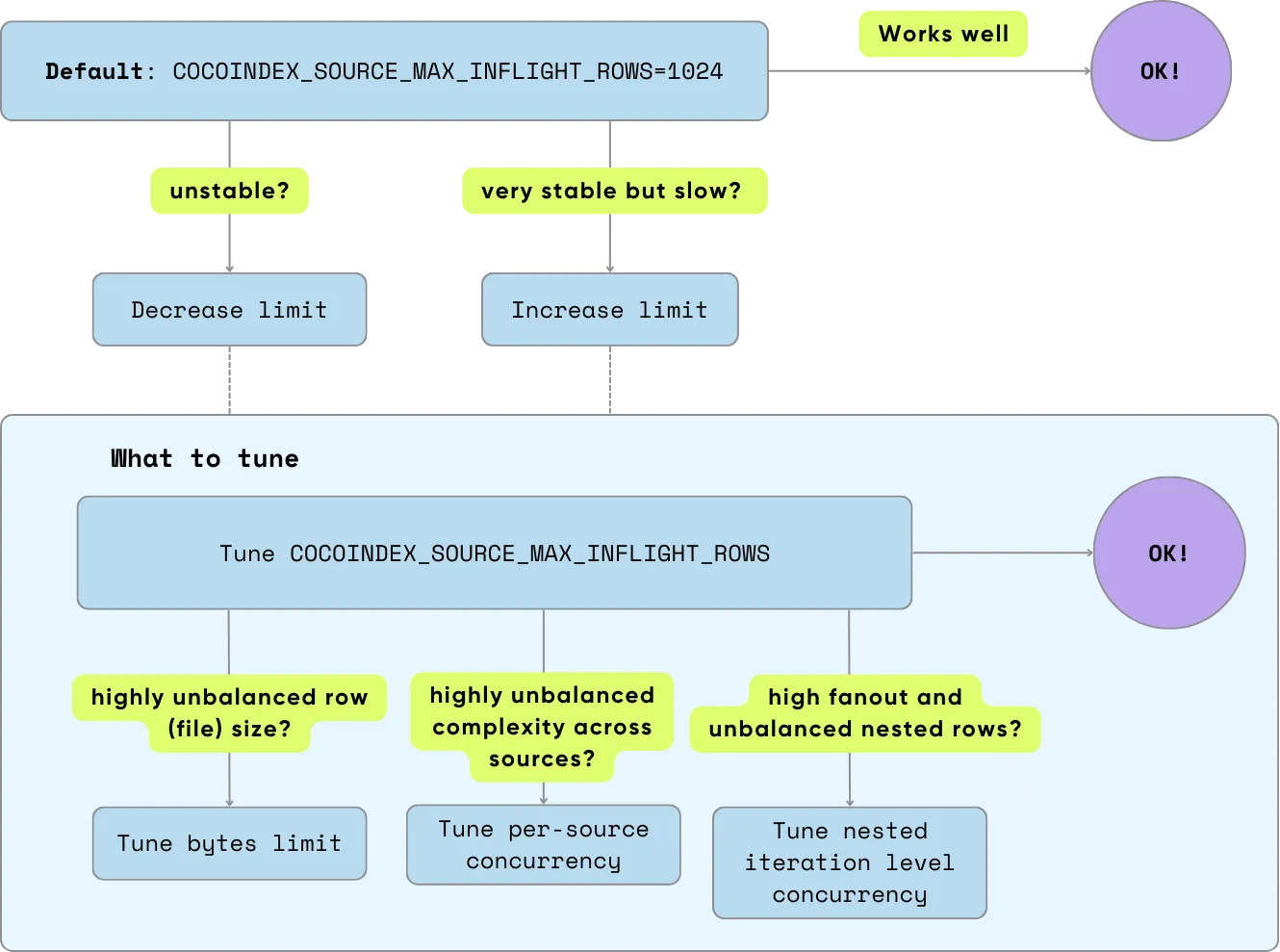
For most cases, the default global source max rows limit (COCOINDEX_SOURCE_MAX_INFLIGHT_ROWS: 1024) already fits the situation described above: loading more than what heavy operations can consume, but still within a reasonable bound. You don’t need to do anything.
When and what to tune
Decrease the limit if it’s not stable enough (e.g. memory overuse, timeout observed on certain operations), or increase the limit if it’s very stable but you want it to go faster. What to tune?
-
In most cases, tuning the global source row limit (
COCOINDEX_SOURCE_MAX_INFLIGHT_ROWS) will just work. -
Only start to touch more specific knobs when deemed necessary - usually only for some complex and unbalanced situations.
- On highly unbalanced row (file) size, set the max bytes limit to prevent a small number of abnormally large inputs from overloading the system, e.g., when the distribution of your input data size follows a long-tail distribution rather than a normal distribution.
- On highly unbalanced complexity across sources, set per-source concurrency. This happens when you want to run multiple flows within the same process, or have multiple sources within the same flow, and they vary in processing complexity (e.g., one source goes through a very heavy and slow model, and another only does simple data movement).
- On high fanout in nested iterations and unbalanced nested rows, set concurrency control options on nested iterations. For example, you have a high number of nested rows to process, and the specific number varies significantly.
This concurrency control framework gives you safe, scalable, and customizable flow performance. You gain flexibility (configure per-flow), control (set global limits), and the confidence to scale CocoIndex flows smoothly across diverse workloads.
Support us
We’re constantly improving our runtime. Please ⭐ star CocoIndex on GitHub and share it with others.
Need help crafting a more detailed code snippet, or insight into using byte-based or default concurrency settings? Just let me know!

About the author.

Maintainer of CocoIndex, Ex-Google Infra Lead. Writes about incremental data infrastructure, Rust internals, and the engineering decisions behind the engine.
Frequently asked questions.
How do you control processing concurrency in CocoIndex?
CocoIndex provides two primary settings: max_inflight_rows (the maximum number of rows processed concurrently) and max_inflight_bytes (the maximum memory footprint of concurrently processed data, measured before transformations). When a limit is reached, CocoIndex pauses new processing until existing work completes, keeping throughput high without pushing the system past its limits.
See Concurrency options.
What does max_inflight_bytes actually measure?
For simplicity, max_inflight_bytes only measures the size of data already in memory before any transformations. It does not include temporary memory used during processing steps.
See Concurrency options.
At what levels can concurrency limits be applied?
Limits can be set at three layers: global (all sources across all flows share one budget, configured via environment variables or GlobalExecutionOptions passed to cocoindex.init()), per-source (each source gets its own budget, via arguments to FlowBuilder.add_source()), and row iteration (nested iterations, via arguments to DataSlice.row(max_inflight_rows=...)). All specified constraints must be satisfied before processing proceeds.
What is the default global max inflight rows in CocoIndex?
CocoIndex uses 1024 as the default value of global max inflight rows (COCOINDEX_SOURCE_MAX_INFLIGHT_ROWS) if you don't explicitly set it. For most cases this default fits well, loading more than heavy operations can consume but still within a reasonable bound, so you don't need to change anything.
See Global concurrency: one setting to shield all flows and Most situations - default is good enough.
How do I set different concurrency limits per source?
Pass max_inflight_rows and/or max_inflight_bytes directly to flow_builder.add_source(), for example max_inflight_rows=10 and max_inflight_bytes=100*1024*1024 for 100 MB. Both global and per-source limits must pass before a new row is processed, giving two layers of safety.
How do I limit concurrency for nested iterations like document chunks?
When iterating over nested rows (for example, each chunk of each document), pass the controls into the nested row() call: with doc["chunks"].row(max_inflight_rows=100, max_inflight_bytes=100*1000*1000): processes up to 100 chunks in parallel per document.
See Nested iteration level concurrency: deep structural control.
When should I tune concurrency settings instead of using the defaults?
Decrease the limit if the pipeline isn't stable enough (memory overuse or timeouts), or increase it if it's very stable and you want more speed. In most cases tuning the global source row limit is enough. Touch more specific knobs only when needed: set a max bytes limit for highly unbalanced (long-tail) input sizes, set per-source concurrency when sources vary widely in processing complexity, and set nested-iteration controls for high, uneven fanout.
