
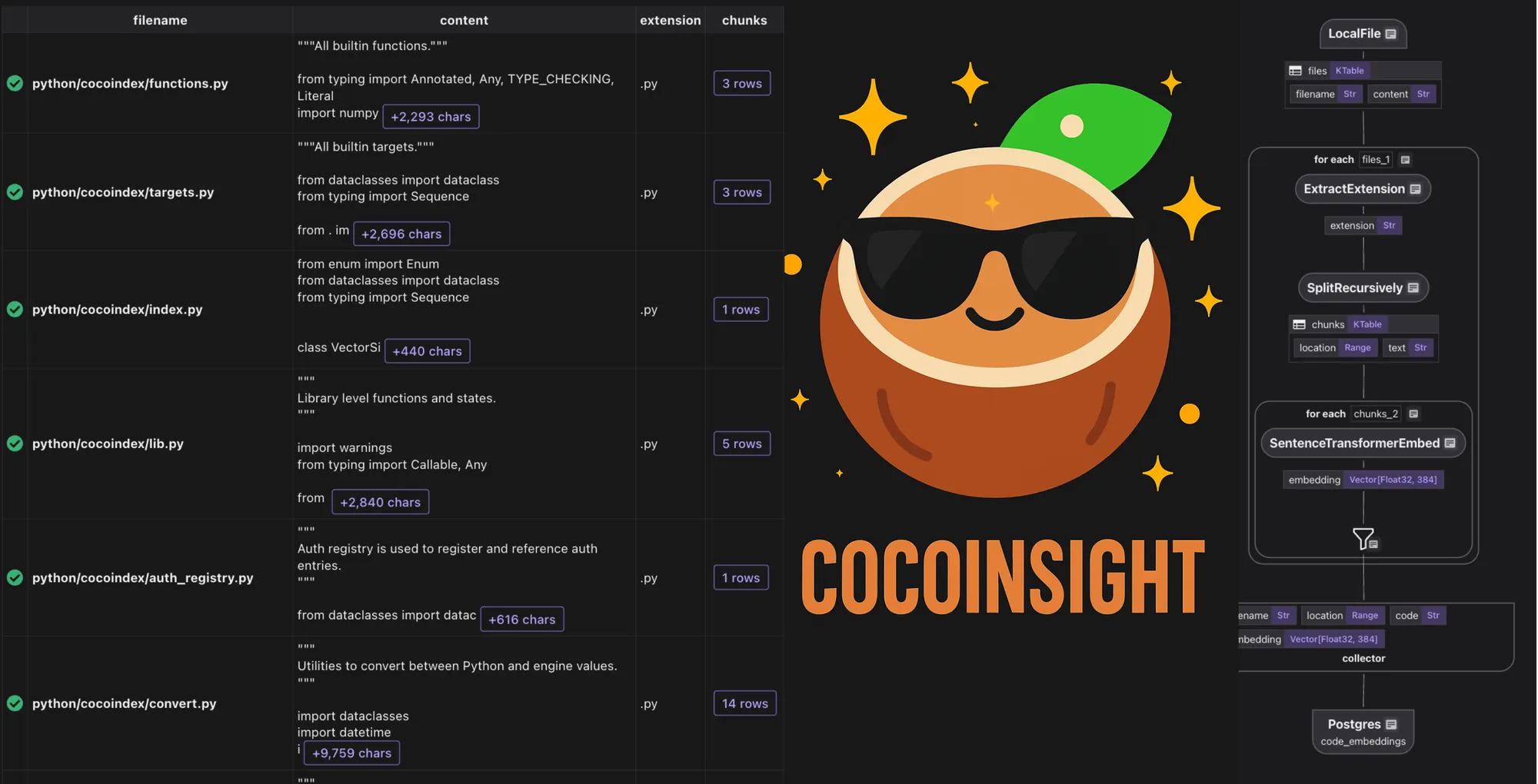
From day zero, we envisioned CocoInsight as a fundamental companion to CocoIndex, not just a tool, but a philosophy: making data explainable, auditable, and actionable at every stage of the data pipeline with AI workloads. CocoInsight has been in private beta for a while, and it is one of the most loved features for our users building ETL with coco, with a significant boost to developer velocity, and lowering the barrier to entry for data engineering.
We are officially launching CocoInsight today - it has zero pipeline data retention and connects to your on-premise CocoIndex server for pipeline insights. This makes data directly visible and makes it easy to develop ETL pipelines.
The “zero data retention” point is worth stressing: CocoInsight renders the UI, but the pipeline data it shows never leaves your machine. The tool talks to the CocoIndex server you run locally, reads the dataflow and the per-step data from there, and keeps it there. Nothing about your documents, embeddings, or extracted entities is uploaded — it’s an inspector pointed at a server you own, not a hosted copy of your data. That property is what makes it usable on real, sensitive workloads rather than only on toy examples, and it’s part of why it became one of the most loved features among the developers building on top of CocoIndex (10,000+ GitHub stars).
Getting started
Start using it by running:
cocoindex server -ci mainfor your cocoindex projects.
Overview
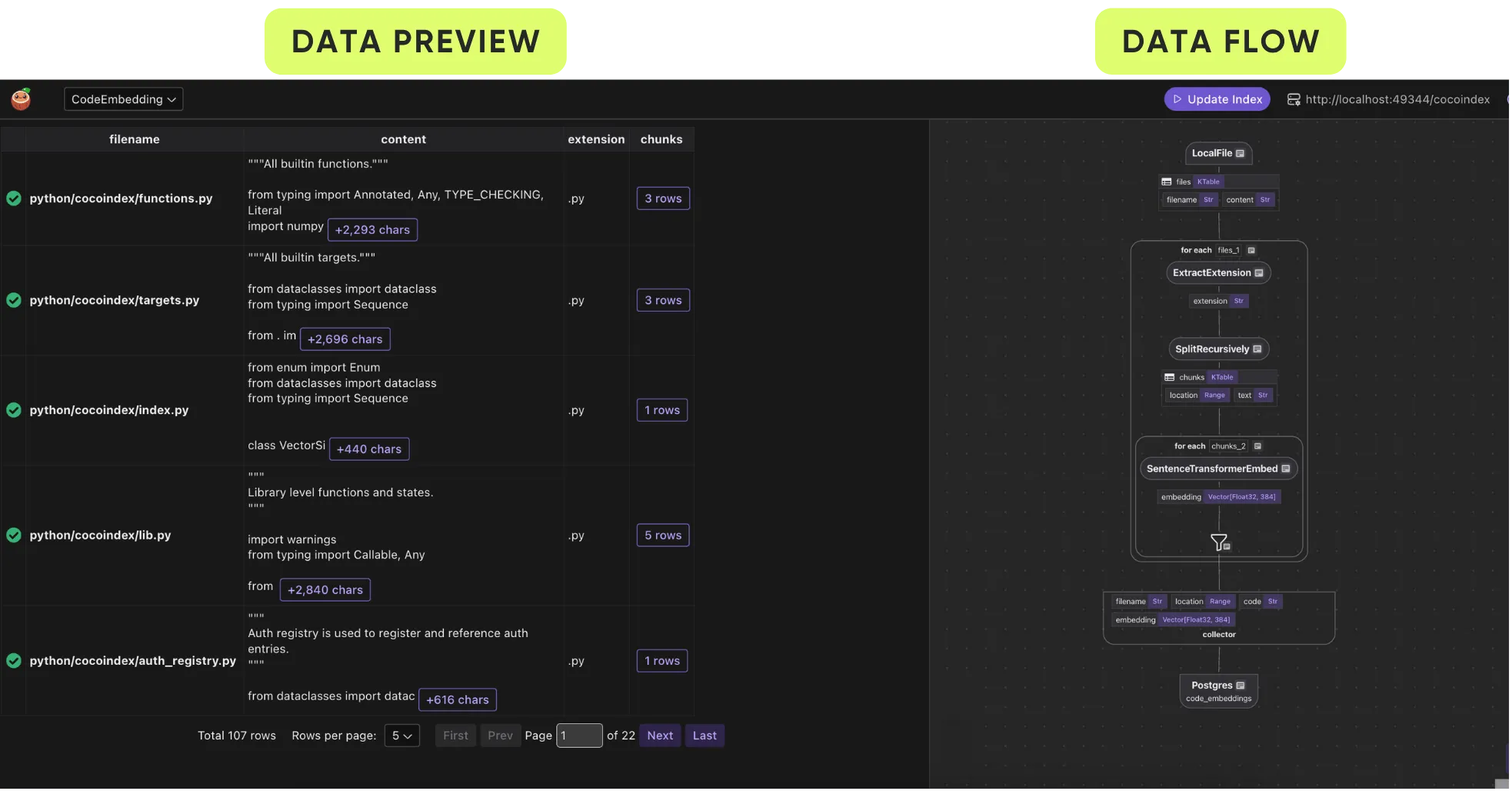
This is an example view for CocoInsight:
- right panel is dataflow, and
- left panel is step-by-step data preview. Each field is tied to an input or output of a step in the dataflow transformation.
How do I inspect data lineage?
You could click on any field (either in data flow or data preview), or any transformation step in the dataflow to inspect lineage - to understand where the data comes from.
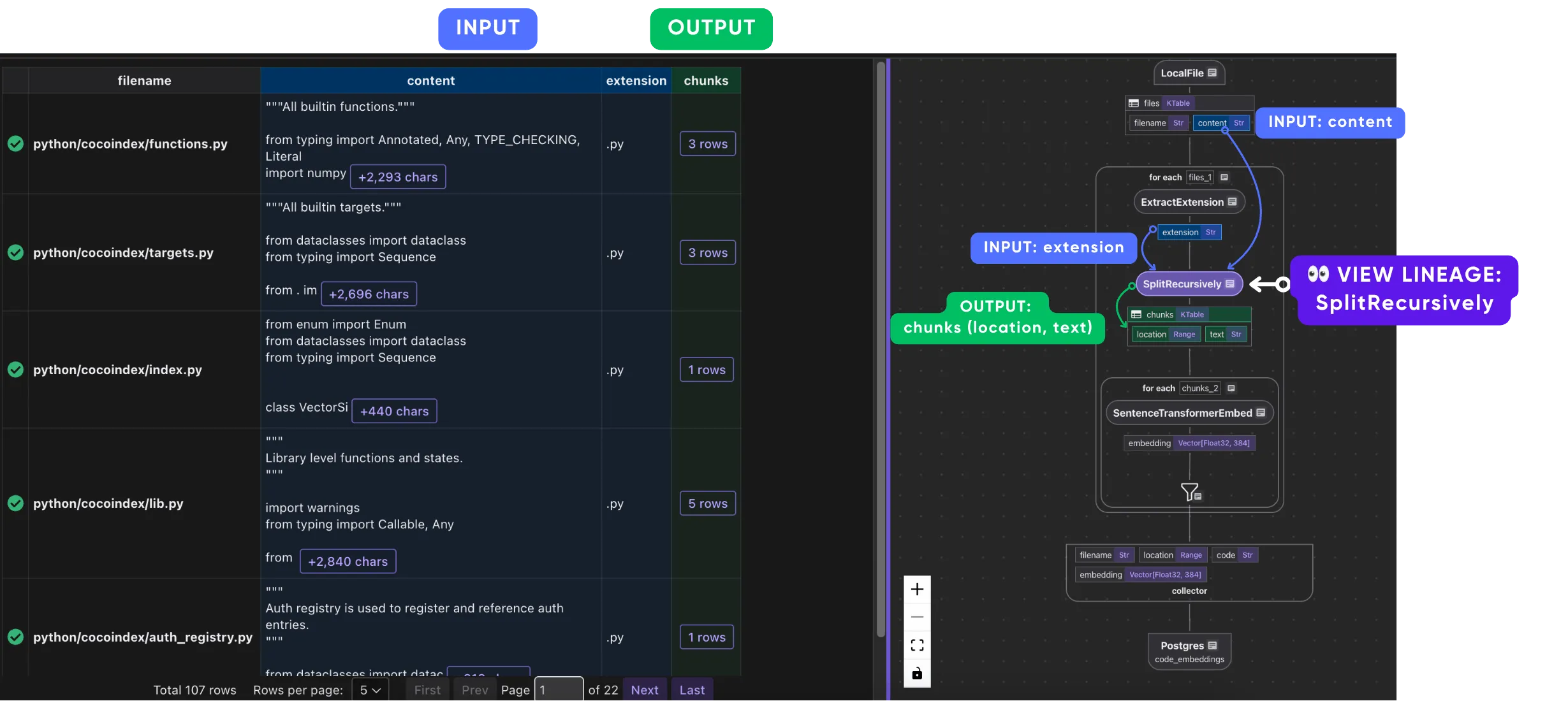
The clicked element will be set to a purple color, as the element being inspected.
- Visibility:
- Direct data/ops with transitive dependency (upstream or downstream) will stay in view.
- Data/ops unrelated to the current selected element will be dimmed.
- Color:
- Direct upstream data dependency (exact fields) will be colored blue.
- Direct downstream data output (exact fields) will be colored green.
Let’s walk through some simple examples of how these AI pipelines work. You don’t need to know how to write code; you just need to make sense of the spreadsheet 😊.
Codebase indexing example
-
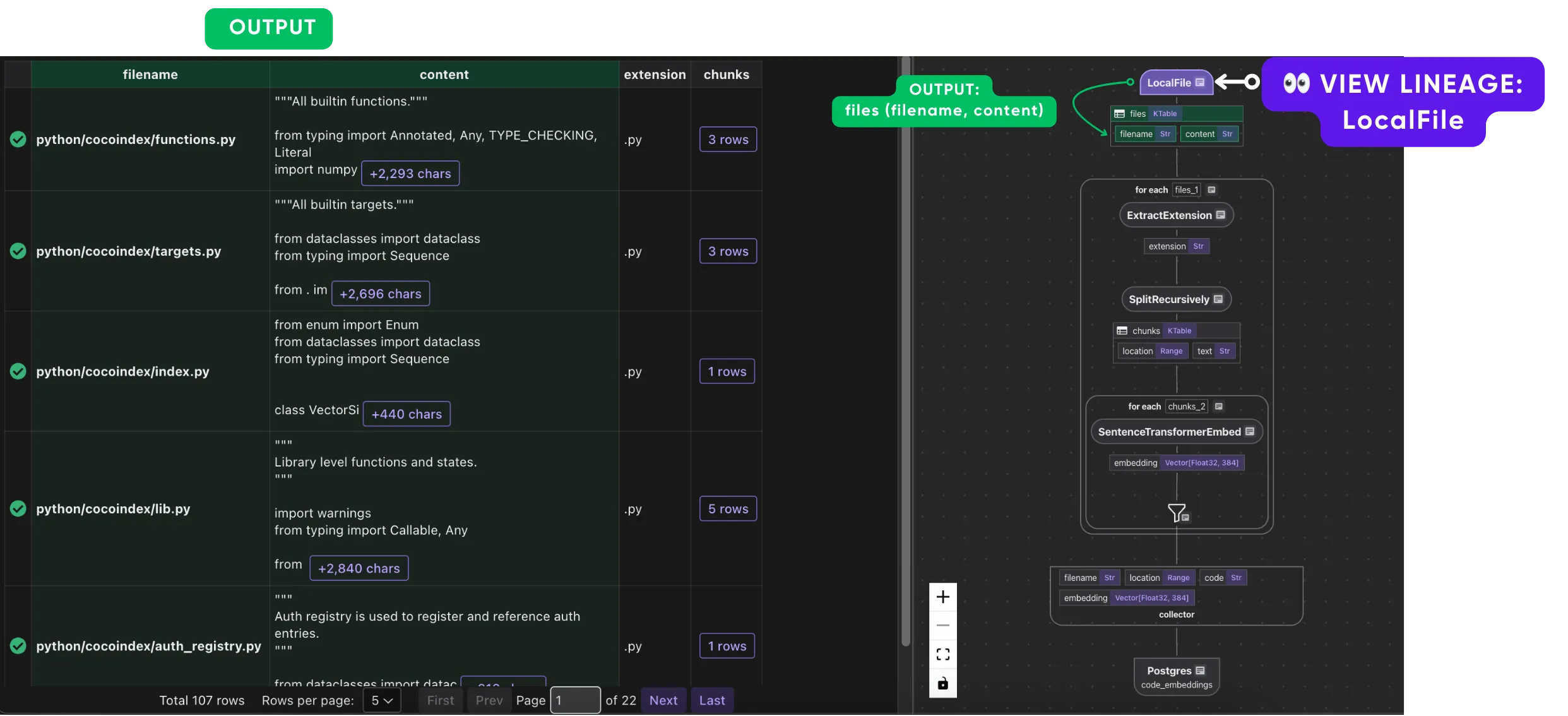
Ingest files, which outputs file names and contents.
-
Take the filename and extract extension.
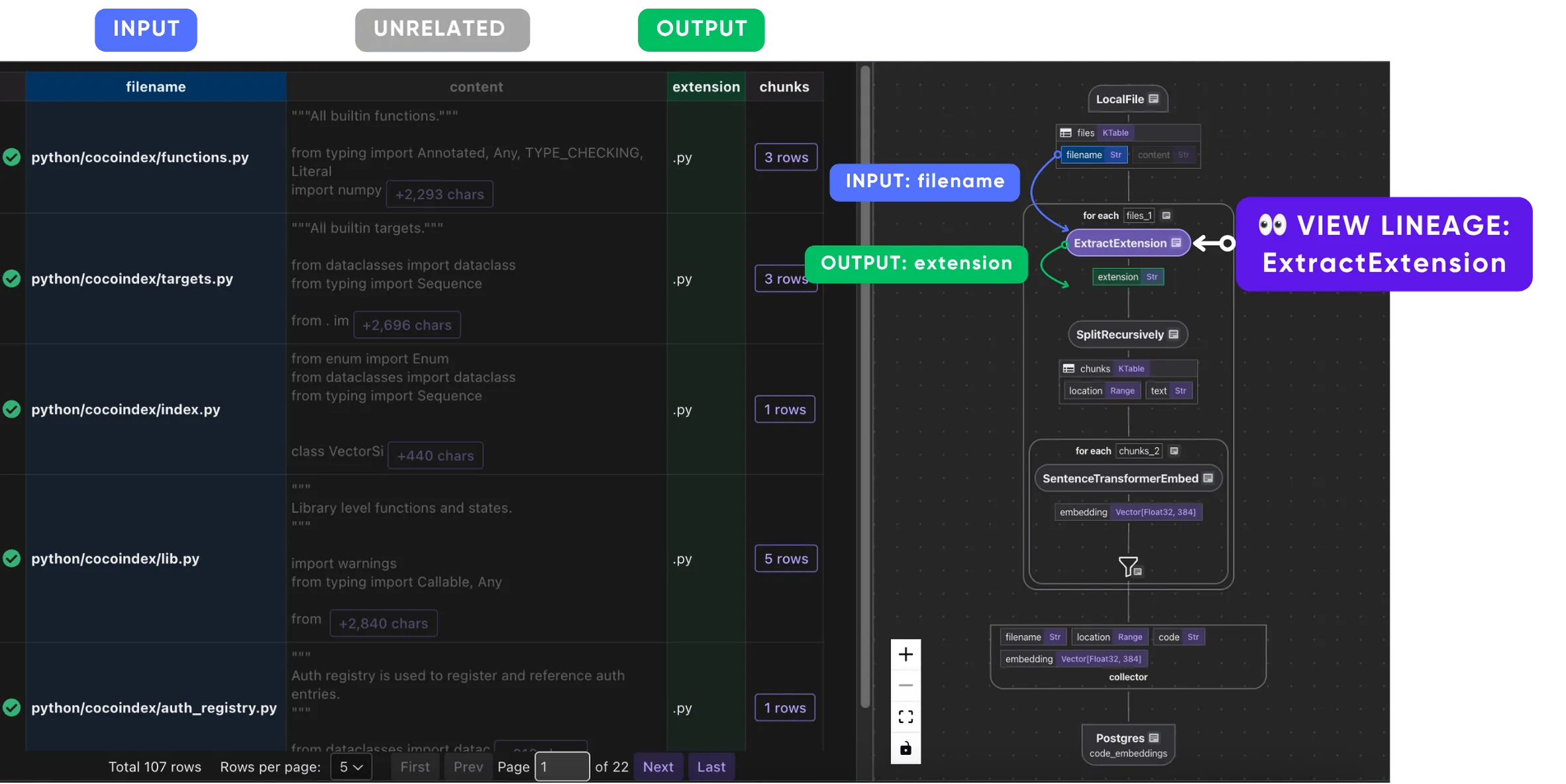
-
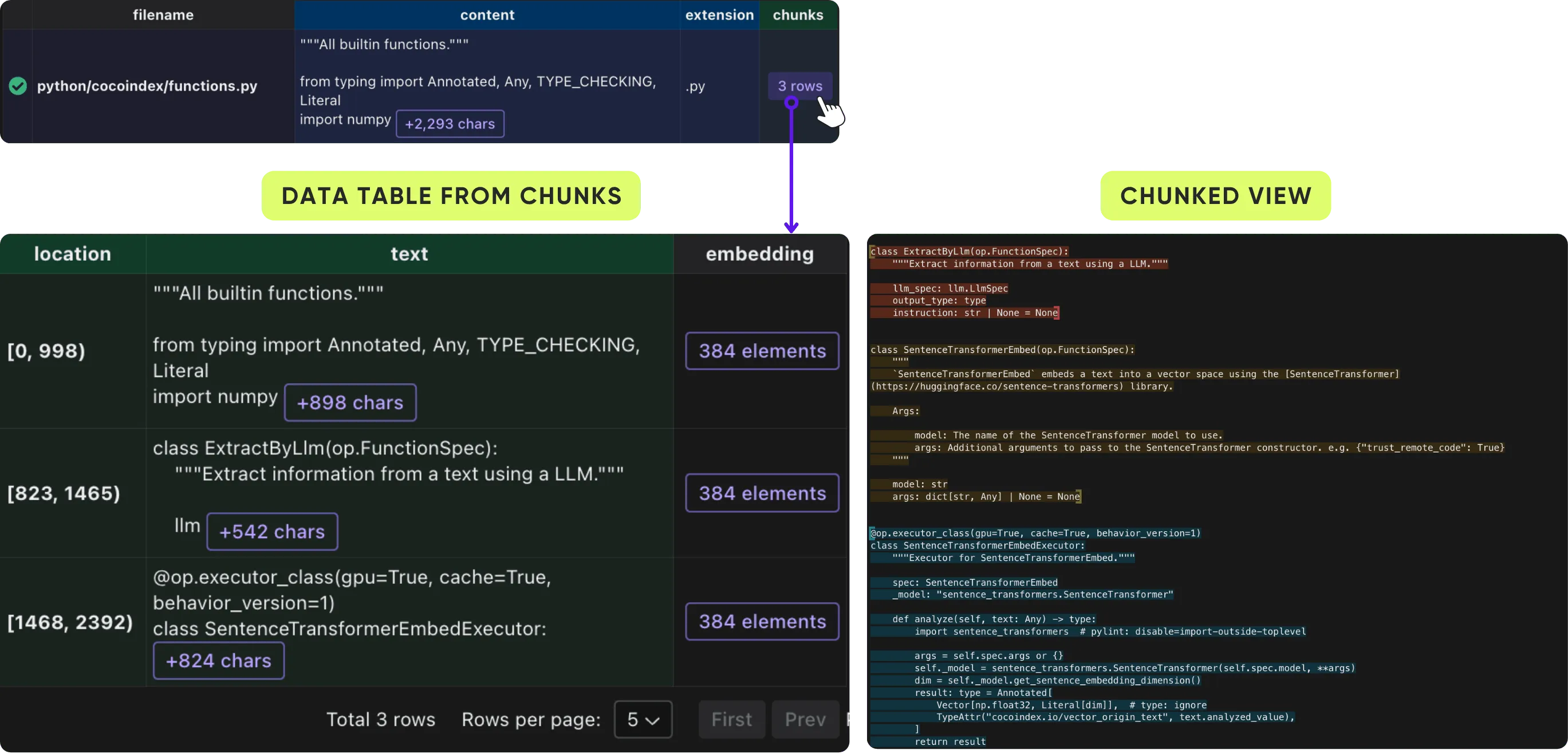
Take the content (source code) and extension (language, e.g.,
.py) to do split based on code boundaries with Tree-sitter.You could further click on each chunk of a document to expand the details of the chunks.
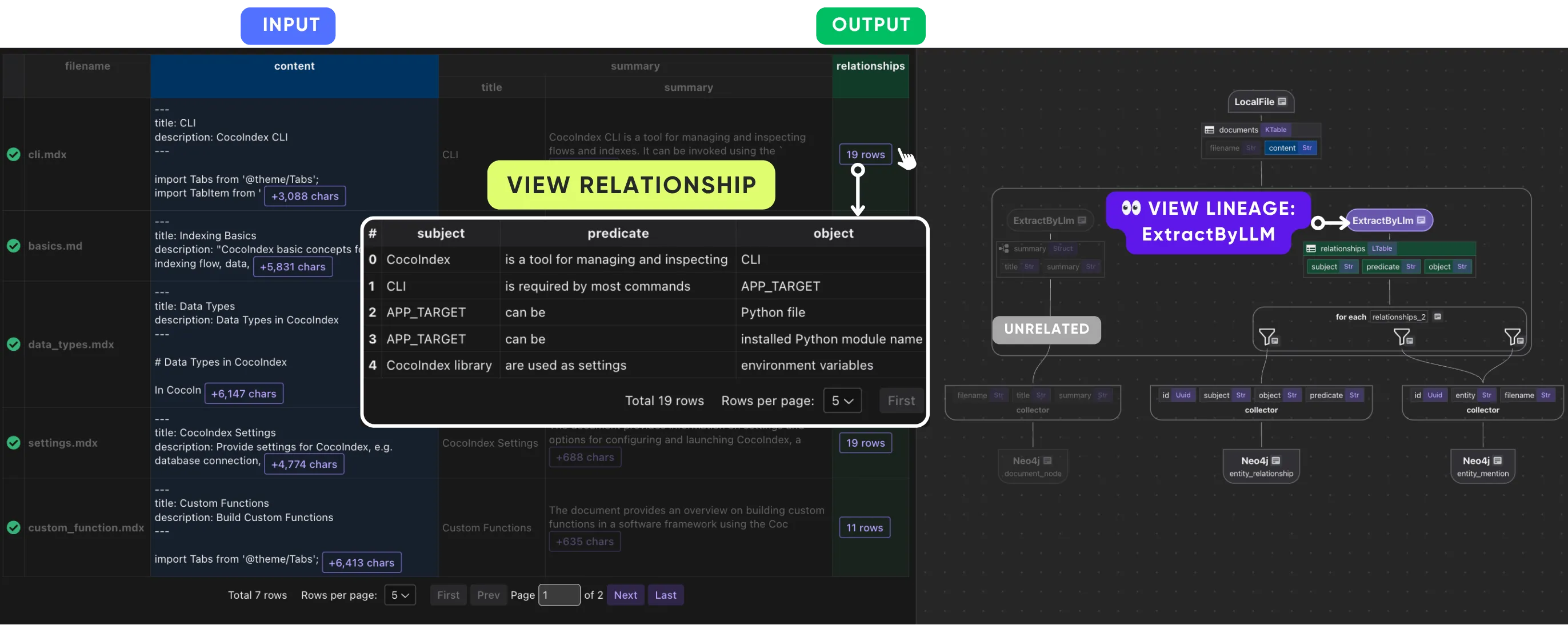
Knowledge graph example
In this example, we process a list of files and generate a knowledge graph with documents and entities as nodes, and relationships between document/entity and entity/entity.
Some key steps:
-
Use LLM to summarize a document.
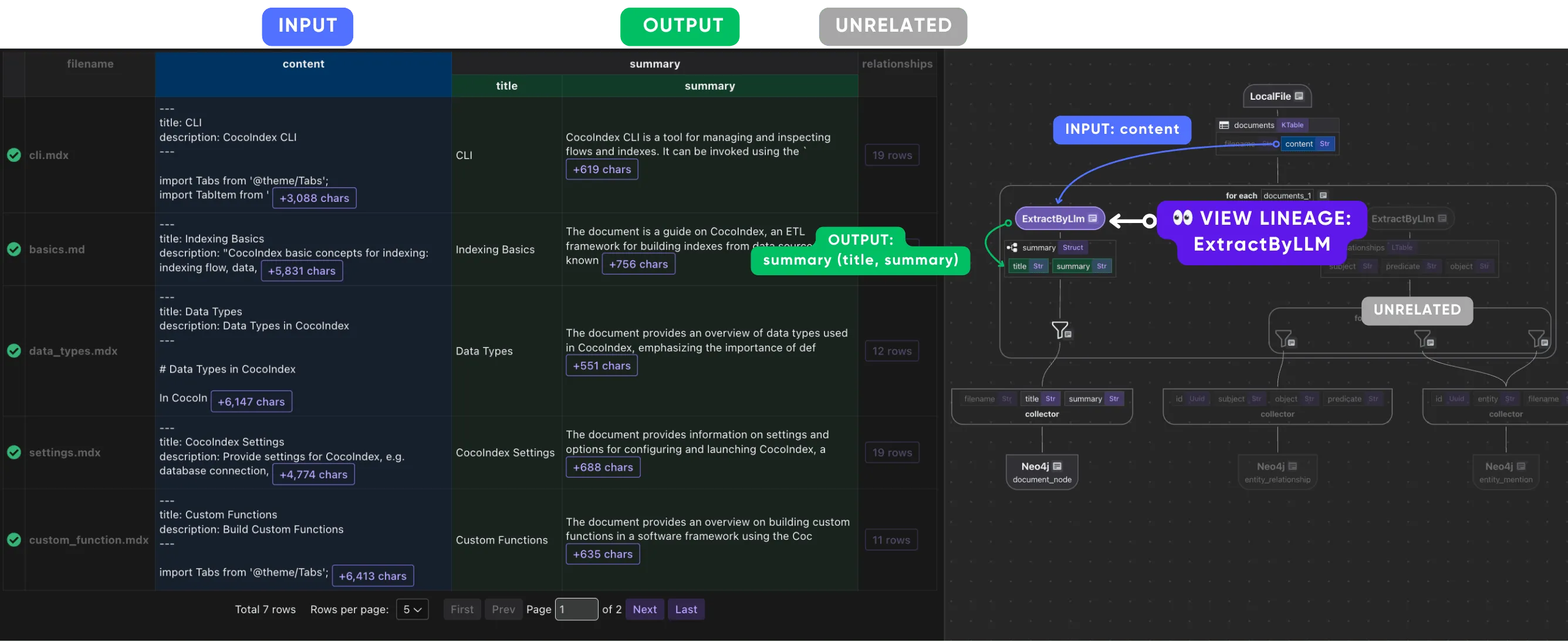
-
Use LLM to extract entities and relationships between entities.
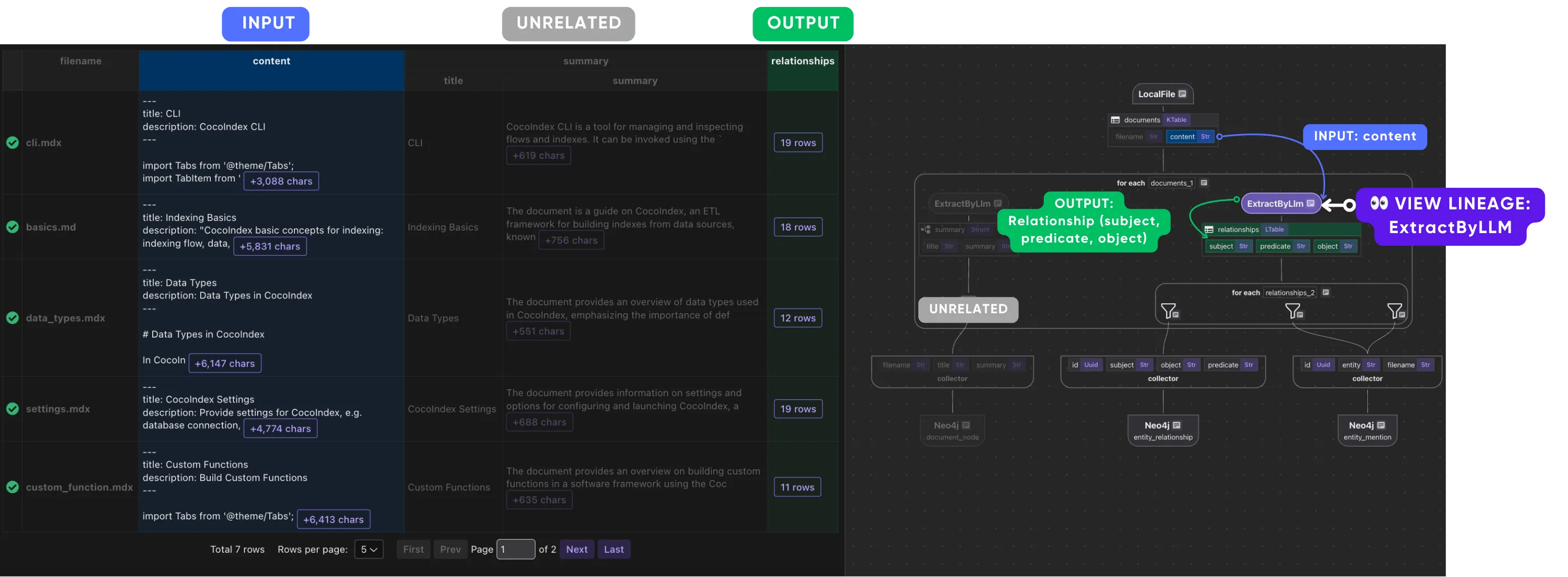
Click on any relationship “row” to drill into the child table.
How it works
At the core of CocoIndex, both data and data operations are first-class citizens.
Because of this pure dataflow foundation, CocoIndex offers full observability by default:
- Before/after of the data are available at every transformation node.
- Every output field can be traced back to the exact set of input fields and operations that created it.
- Lineage is first-class, not as metadata bolted on afterward, but as a structural property of how data is defined and transformed in the system.
This is why lineage in CocoInsight is exact rather than approximate. Because the engine already knows, for every output field, the precise set of input fields and operations that produced it, the tool doesn’t have to reconstruct or guess those edges — it reads them straight from the dataflow definition. That’s what lets you click a single chunk’s embedding and have the view highlight its exact upstream (the chunk text, the split step, the source file) in blue and its downstream consumers in green, while dimming everything unrelated. The relationships you’re inspecting are the same relationships the engine uses to run the pipeline.
The same structure makes the state you see live rather than a static trace. Each field in the left panel is bound to the actual input or output of a step, so as the pipeline runs against your local server you’re looking at the real before-and-after values at each node — the source content, the extracted extension, the chunk boundaries, the LLM summary — not a rendering of what the code is supposed to do. Drilling into a relationship row to expand its child table, or into a chunk to see its details, is reading the engine’s own data, one step at a time.
This lineage model is not just useful for debugging. It enables features like incremental processing, intelligent caching, and transformation-level explainability, all out of the box.
While CocoIndex is architecturally a dataflow engine, its user experience is deeply inspired by spreadsheets. Just like in a spreadsheet:
- Values of cells are derived from others through clearly visible formulas or expressions.
- You can visually inspect how data looks before and after each transformation, cell by cell.
- There’s no implicit global state, and every value can be explained in terms of its formula and input values.
- Once the value of a source cell changes, we automatically update derived cell values based on formulas with minimum reprocessing.
This spreadsheet-inspired paradigm is more than a UI choice: it’s a cognitive model. It bridges the gap between low-code users and developers, allowing anyone familiar with spreadsheets to reason about data transformations intuitively.
We have lots of features planned for CocoInsight 😎, including query debugging, stats, and more. Stay tuned and join our Discord for any questions.

About the author.

CEO and cofounder of CocoIndex. Writes about incremental data infrastructure, agents, and the engineering decisions behind the engine.
Frequently asked questions.
What is CocoInsight?
CocoInsight is a companion tool to CocoIndex for making data explainable, auditable, and actionable at every stage of an AI data pipeline. It has zero pipeline data retention and connects to your on-premise CocoIndex server to make data directly visible and ETL pipelines easy to develop.
See How it works.
How do I start CocoInsight?
Run cocoindex server -ci main for your CocoIndex project. CocoInsight connects to your local CocoIndex server, and because it has zero pipeline data retention, your data stays on your own machine.
See Getting started.
How do I inspect data lineage in a CocoIndex pipeline?
Click any field — in either the dataflow or the data preview — or any transformation step, to trace where the data comes from. The selected element turns purple; direct upstream dependencies (exact fields) are colored blue and direct downstream outputs green. Elements with a transitive dependency stay in view, while unrelated data and operations are dimmed.
How does CocoInsight provide observability by default?
At the core of CocoIndex, both data and data operations are first-class citizens. Because of this pure dataflow foundation, the before/after of data is available at every transformation node, and every output field can be traced back to the exact input fields and operations that created it. Lineage is a structural property of the system, not metadata bolted on afterward.
See How it works.
Why is CocoInsight inspired by spreadsheets?
CocoIndex is architecturally a dataflow engine, but its UX is modeled on spreadsheets: cell values are derived from others through visible formulas, you can inspect data before and after each transformation cell by cell, there's no implicit global state, and changing a source cell automatically updates derived values with minimum reprocessing. This is a cognitive model that lets anyone familiar with spreadsheets reason about transformations — bridging low-code users and developers.
See How it works.
What can I do with CocoInsight on a knowledge graph pipeline?
For a pipeline that builds a knowledge graph from documents, CocoInsight lets you inspect each step — using an LLM to summarize a document, and using an LLM to extract entities and relationships — and you can click any relationship row to drill into the child table.
