Quickstart
In this tutorial, we'll build a simple app that converts PDF files to Markdown and saves them to a local directory.
View on GitHubOverview

- Read PDF files from a local directory
- Convert each file to Markdown using Docling
- Save the Markdown files to an output directory (as target states)
You declare the transformation logic with native Python without worrying about changes.
Think: target_state = transformation(source_state)
When your source data is updated, or your processing logic is changed (for example, switching parsers or tweaking conversion settings), CocoIndex performs smart incremental processing that only reprocesses the minimum. And it keeps your Markdown files always up to date.
Setup
-
Install CocoIndex and dependencies:
pip install 'cocoindex>=1.0.0a1' docling -
Create a new directory for your project:
mkdir cocoindex-quickstart
cd cocoindex-quickstart -
Create a
pdf_files/directory and add your PDF files:mkdir pdf_filesYou can download sample PDF files from the git repo.
-
Create a
.envfile to configure the database path:echo "COCOINDEX_DB=./cocoindex.db" > .env
Define the app

Create a new file main.py:
import pathlib

import cocoindex as coco
from cocoindex.connectors import localfs
from cocoindex.resources.file import PatternFilePathMatcher
from docling.document_converter import DocumentConverter

app = coco.App(
    "PdfToMarkdown",
    app_main,
    sourcedir=pathlib.Path("./pdf_files"),
    outdir=pathlib.Path("./out"),
)
This defines a CocoIndex App — the top-level runnable unit in CocoIndex.
CocoIndex AppDefine the main function
@coco.fn
async def app_main(sourcedir: pathlib.Path, outdir: pathlib.Path) -> None:
    files = localfs.walk_dir(
        sourcedir,
        recursive=True,
        path_matcher=PatternFilePathMatcher(included_patterns=["**/*.pdf"]),
    )
    await coco.mount_each(process_file, files.items(), outdir)
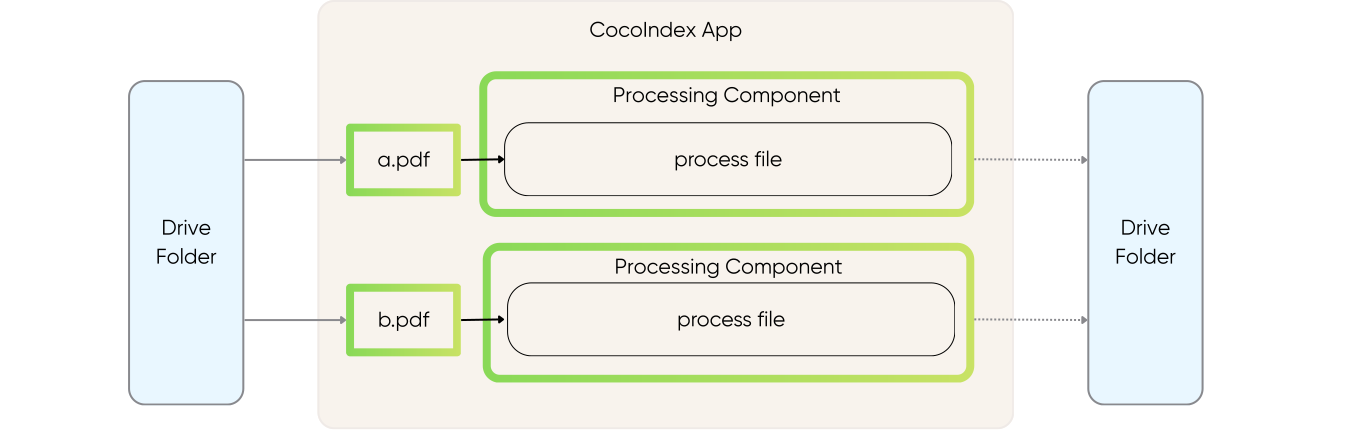
mount_each() mounts one processing component per file. Each item from files.items() is a (key, file) pair — the key (the file's relative path) becomes the component subpath automatically.
It's up to you to pick the process granularity — it can be at directory level, at file level, or at page level. In this example, because we want to independently convert each file to Markdown, the file level is the most natural choice.
Processing ComponentDefine file processing
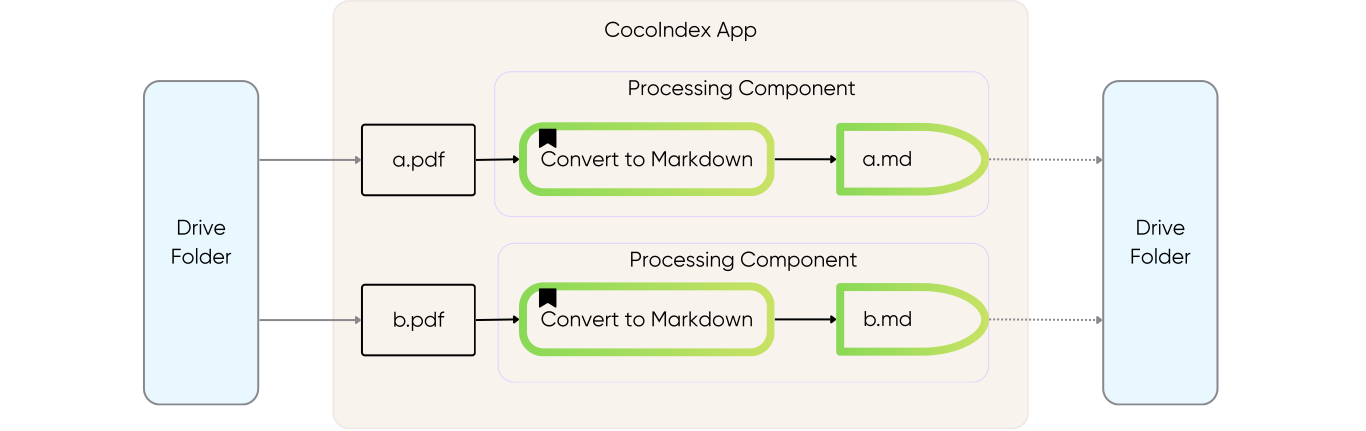
This function converts a single PDF to Markdown:
_converter = DocumentConverter()

@coco.fn(memo=True)
def process_file(
    file: localfs.File,
    outdir: pathlib.Path,
) -> None:
    markdown = _converter.convert(
        file.file_path.resolve()
    ).document.export_to_markdown()
    outname = file.file_path.path.stem + ".md"
    localfs.declare_file(outdir / outname, markdown, create_parent_dirs=True)
memo=True— Caches results; unchanged files are skipped on re-runslocalfs.declare_file()— Declares a file target state; auto-deleted if source is removed
Run the pipeline
Run the pipeline:
cocoindex update main.py
CocoIndex will:
- Create the
out/directory - Convert each PDF in
pdf_files/to Markdown inout/
Check the output:
ls out/
# example.md (one .md file for each input PDF)
Incremental updates
The power of CocoIndex is incremental processing. Try these:
Add a new file:
Add a new PDF to pdf_files/, then run:
cocoindex update main.py
Only the new file is processed.
Modify a file:
Replace a PDF in pdf_files/ with an updated version, then run:
cocoindex update main.py
Only the changed file is reprocessed.
Delete a file:
rm pdf_files/example.pdf
cocoindex update main.py
The corresponding Markdown file is automatically removed.
Next steps
- Learn more about Core Concepts
- Explore Functions and memoization
- Understand Target States and how they sync to external systems
- Browse more examples