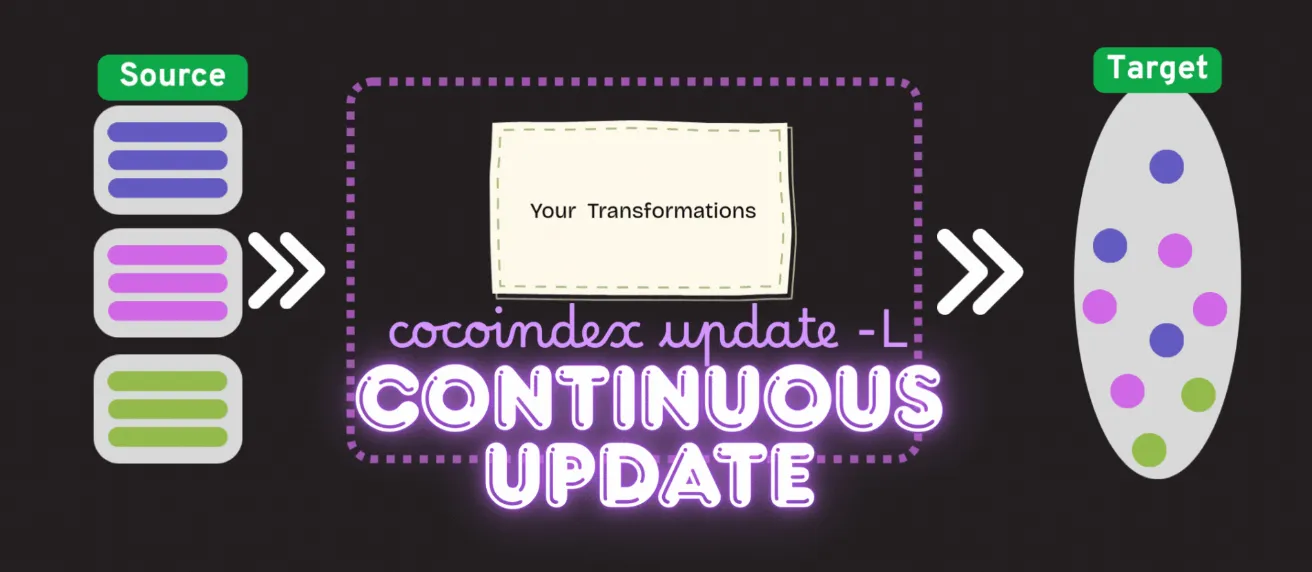

Today, we are excited to announce support for continuous updates for long-running pipelines in CocoIndex. This powerful feature automatically applies incremental source changes to keep your index up-to-date with minimal latency.
With continuous updates, your indexes remain synchronized with your source data in real-time, ensuring that your applications always have access to the most current information without the performance overhead of full reindexing.
When to use it?
It fits into situations where you need to access the fresh target data continuously most of the time.
How does it work?
It continuously captures changes from the source data and updates the target data accordingly. It’s long-running and only stops when aborted explicitly.
A data source may enable one or multiple change capture mechanisms:
CocoIndex supports two main categories of change detection mechanisms:
-
General Mechanism:
- Refresh Interval: A universal approach applicable to all data sources, allowing periodic checks for changes by scanning and comparing the current state with the previous state.
-
Source-Specific Mechanisms:
- Push Change Notification: Many data sources offer built-in mechanisms for real-time change notification which CocoIndex can subscribe to (coming soon!)
- Recent Changes Poll: Some data sources provide APIs for tracking recently modified entries, allowing efficient detection of changes; for example, Google Drive.
These mechanisms work together to ensure CocoIndex can detect and process changes as they happen, maintaining your index in perfect sync with source data with minimal latency and resource usage.
Under the hood, after the change is detected, CocoIndex will use its incremental processing mechanism to update the target data.
How to enable continuous updates?
Here is an example of how to enable continuous updates for Google Drive. It is pretty simple:
1. Configure the change capture mechanisms for the source
@cocoindex.flow_def(name="GoogleDriveIndex")
def my_flow(flow_builder: cocoindex.FlowBuilder, data_scope: cocoindex.DataScope):
    data_scope["documents"] = flow_builder.add_source(
        cocoindex.sources.GoogleDrive(
            service_account_credential_path=credential_path,
            root_folder_ids=root_folder_ids,
            recent_changes_poll_interval=datetime.timedelta(seconds=10)),
        refresh_interval=datetime.timedelta(minutes=1))
In this example, we’ve configured two change detection mechanisms:
-
recent_changes_poll_interval=datetime.timedelta(seconds=10): This is a Google Drive-specific mechanism that uses the Drive API’s changes endpoint to efficiently detect modifications every 10 seconds. This is an efficient fast scan to capture all latest modified files, and we could set it to a short interval to get fresher data. It doesn’t capture file deletions, so we need the fallback mechanism to ensure all changes are eventually captured. -
refresh_interval=datetime.timedelta(minutes=1): This is the universal fallback mechanism that performs a complete scan of the data source every minute. This is to scan all the files, to ensure all the changes - including the deleted files - are captured.The
refresh_intervalparameter is particularly important as it serves as a safety net to ensure all changes are eventually captured, even if source-specific mechanisms miss something. It works by:- Periodically scanning the list of entries (e.g. file list with metadata like last modified time) at the specified interval
- Comparing the current list with the previously known list
- Identifying any differences (additions, modifications, deletions)
- Triggering updates only for the changed items
While source-specific mechanisms like recent_changes_poll_interval are more efficient for near real-time updates,
the refresh_interval provides comprehensive coverage.
We recommend setting it to a reasonable value based on your freshness requirements and resource constraints - shorter intervals provide fresher data but consume more resources.
You can read the full documentation:
- for source specific change detection mechanisms here. Different sources have different mechanisms supported.
- for the universal fallback mechanism, see the same documentation.
2. Run the flow in live update mode
Option 1: CLI
To run the CLI with live update mode, you can use the following command:
cocoindex update -L mainThis will start the flow in live update mode, which will continuously capture changes from the source and update the target data accordingly.
Option 2: Python API
You can create cocoindex.FlowLiveUpdater. For example,
async def main():
    my_updater = cocoindex.FlowLiveUpdater(demo_flow)
    await my_updater.wait()
    ...

if __name__ == "__main__":
    asyncio.run(main())
And you run the flow with
python main.pyYou can also use the updater as a context manager. It will abort and wait for the updater to finish automatically when the context is exited. See full documentation here.
Now you are all set! It is super simple to get started and have continuous updates for your data. Get started now with the quickstart guide 🚀
It would mean a lot to us if you could support Cocoindex on Github with a star if you like our work. Thank you so much, with a warm coconut hug 🥥🤗.

About the author.

Posts from the CocoIndex team — product launches, release notes, and announcements.
Frequently asked questions.
What are continuous updates in CocoIndex?
Continuous updates let long-running CocoIndex pipelines automatically apply incremental source changes so your index stays up to date with minimal latency. Instead of full reindexing, your indexes remain synchronized with source data in real time, so applications always have the most current information without the performance overhead of rebuilding everything.
See How does it work?.
When should I use continuous updates?
Use continuous updates when you need to access fresh target data continuously most of the time. It is designed for situations where the index must stay synchronized with frequently changing source data rather than being rebuilt periodically.
See When to use it?.
How does CocoIndex detect changes in a data source?
CocoIndex supports two categories of change detection. The general mechanism is a universal refresh interval that periodically scans the source and compares current state with the previous state. Source-specific mechanisms include push change notifications (coming soon) and a recent changes poll for sources like Google Drive that expose APIs for recently modified entries. After a change is detected, CocoIndex uses its incremental processing mechanism to update the target.
See How does it work?.
What is the difference between refresh_interval and recent_changes_poll_interval?
recent_changes_poll_interval is a source-specific mechanism (for example, Google Drive's changes endpoint) that efficiently detects modifications at a short interval, but it does not capture file deletions. refresh_interval is the universal fallback that performs a complete scan of the source, comparing the current entry list with the previous one to catch all changes including deletions. The refresh interval acts as a safety net to ensure every change is eventually captured.
How do I run a CocoIndex flow in live update mode?
You have two options. From the CLI, run cocoindex update -L main to start the flow in live update mode. From Python, create a cocoindex.FlowLiveUpdater(demo_flow) and await it, or use it as a context manager that aborts and waits for the updater to finish when the context exits.
How do I configure change capture for a Google Drive source?
On the GoogleDrive source, set recent_changes_poll_interval (for example, 10 seconds) to detect modifications quickly via the Drive API, and set refresh_interval (for example, 1 minute) on add_source as the comprehensive fallback that also captures deletions. Shorter intervals provide fresher data but consume more resources.
