Slides-to-Speech: Turn your presentations into narrated content with CocoIndex and LanceDB
· 17 min read


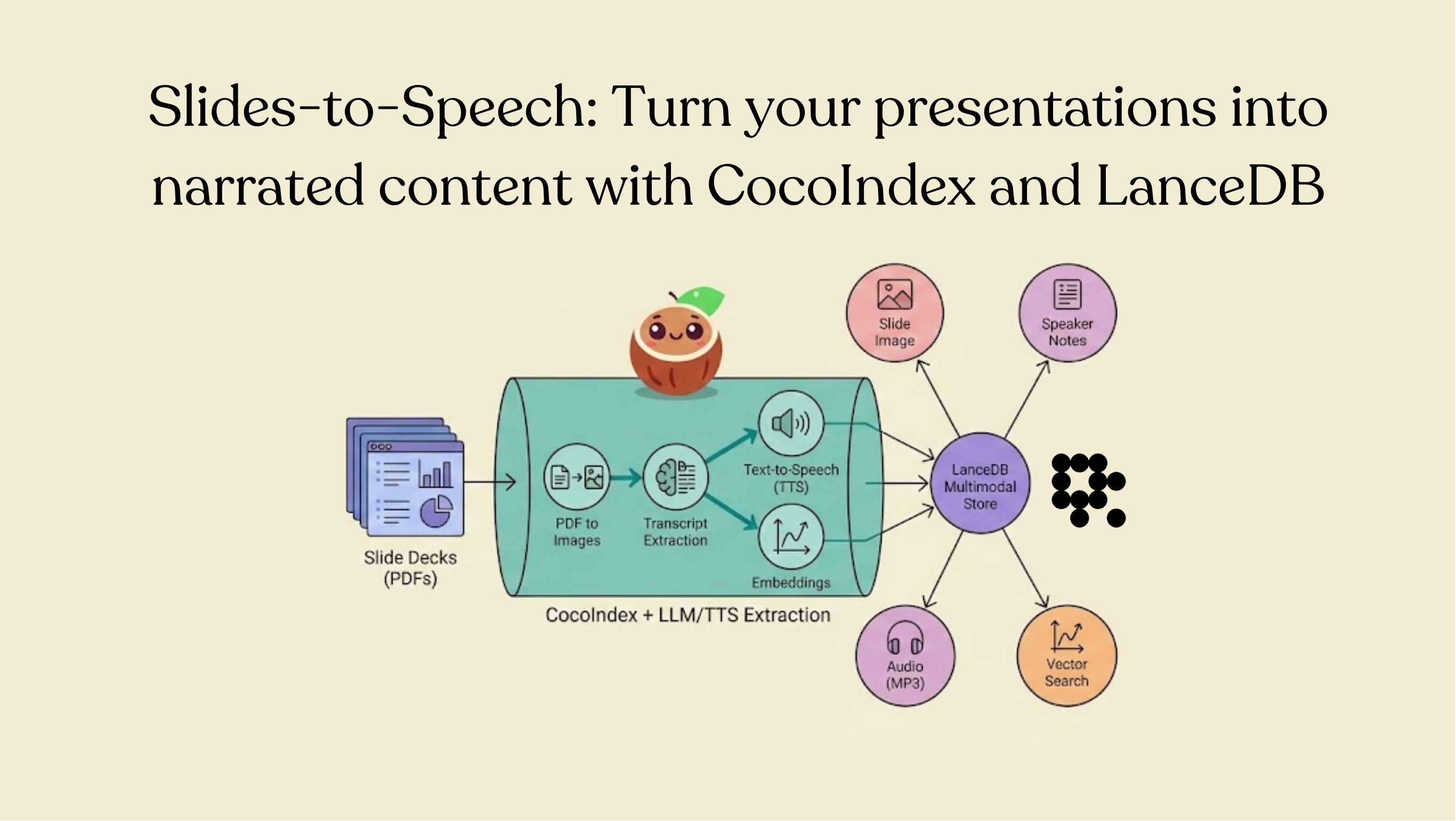
Most organizations already have a knowledge base—it's just that a large portion of it is trapped in slide decks. Quarterly updates, onboarding and training, technical specs, sales enablement, incident reviews: it all lives in Drive folders, gets revised constantly, and is hard to consume at scale in its static form.
Turning those presentations into audio (and keeping that audio synced with the slide decks as they evolve) unlocks a few practical wins:
- Listen to any slide deck instead of reading every slide (useful for review and accessibility).
- Extract structured speaker notes/transcripts automatically from each slide.
- Search across slide content semantically, not just by filename.
- Keep everything fresh as new slides appear or existing decks change.
- Reuse the same foundation for video generation, so narration stays in sync as the slides change.
In this post, you'll build a reference Slides-to-Speech pipeline in CocoIndex that watches a Drive folder for new/updated slide PDFs, extracts structured speaker notes from each slide, synthesizes narration, and stores everything in LanceDB so you can retrieve the most relevant slides instantly.