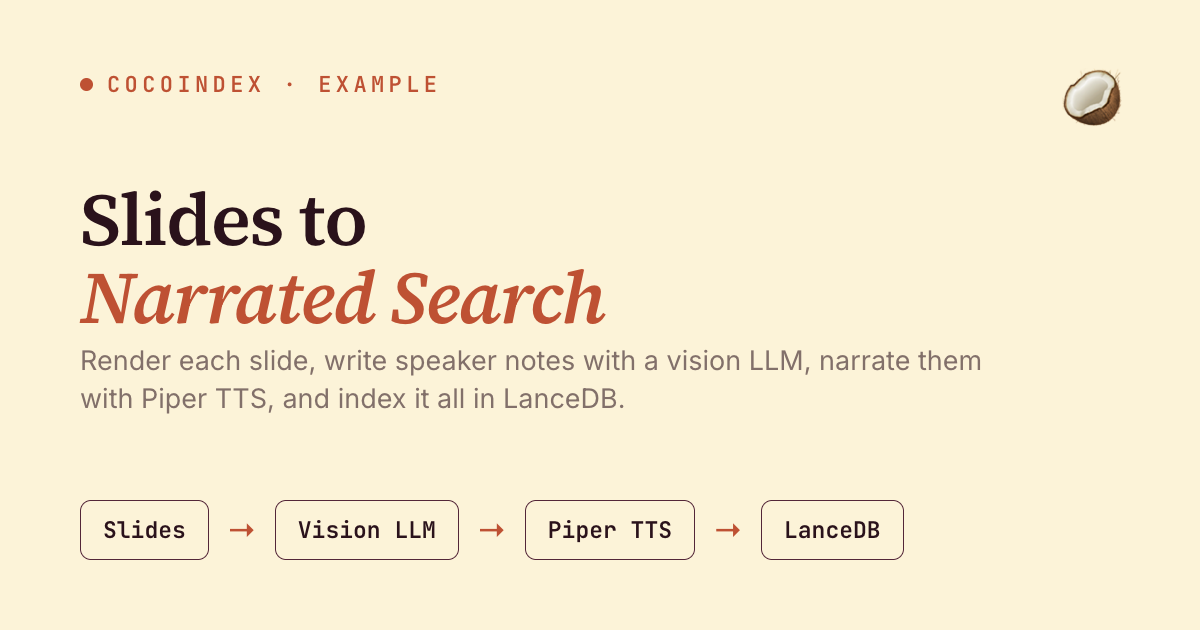
A slide deck is a great outline and a terrible thing to listen to or search. In this tutorial we’ll build a CocoIndex pipeline that fixes both: for each slide, a vision LLM writes natural speaker notes, Pocket TTS synthesizes them to audio locally on the CPU, and the notes are embedded into LanceDB so you can search the deck by meaning and play back the narration for any hit.
The whole pipeline is ordinary async Python. The vision and TTS steps run on a coco.GPU runner that offloads each blocking call off the event loop and serializes it — Pocket TTS is CPU-only, so no GPU is required — and the Rust engine handles incremental processing — add a deck and only its slides get processed.
Flow overview
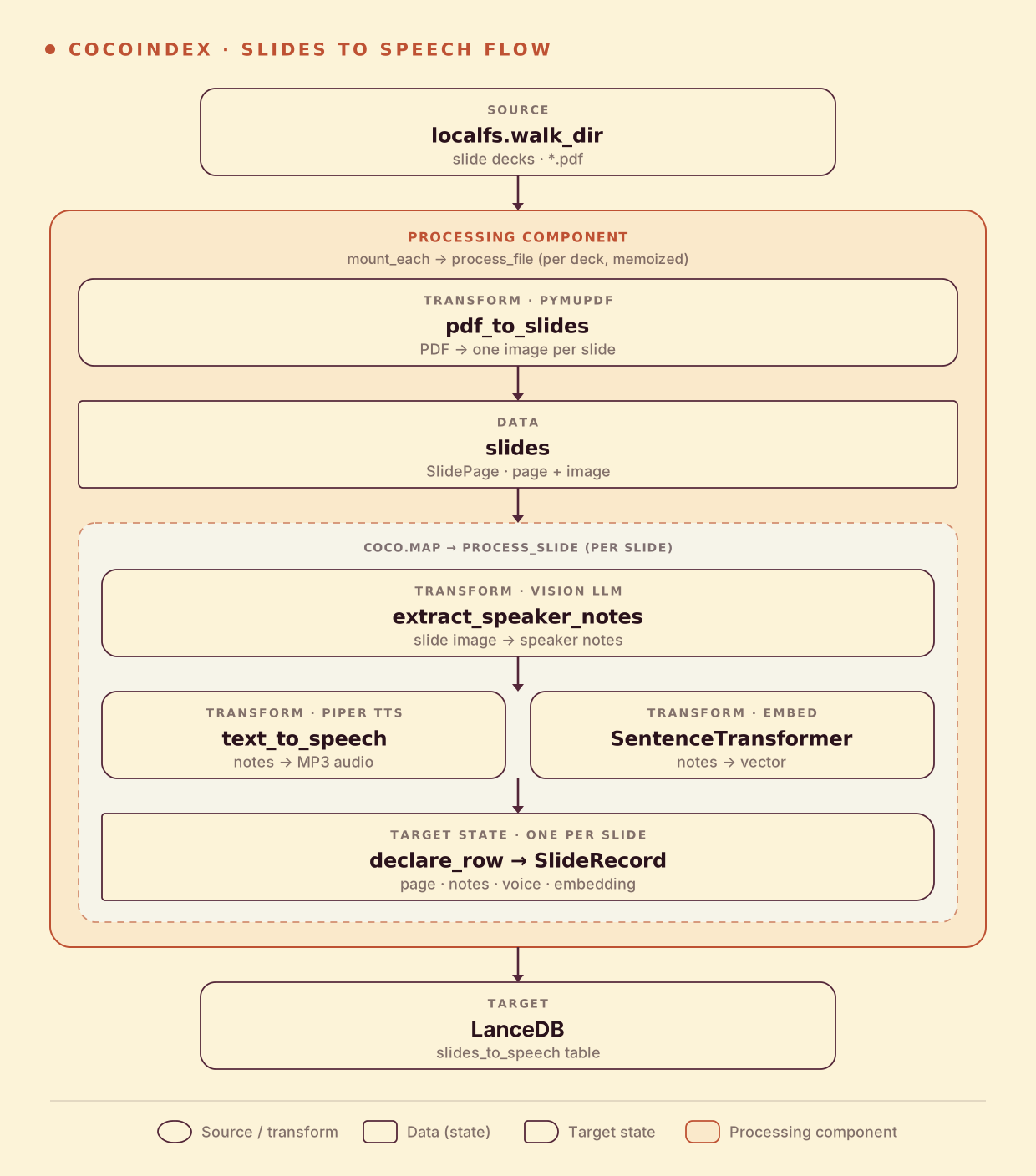
A deck fans out to slides, and each slide produces text, audio, and a vector:
- Render each slide of the PDF to an image (pymupdf).
- A vision LLM writes speaker notes for the slide.
- Pocket TTS synthesizes the notes to MP3 audio; a sentence-transformer embeds the notes.
- Store one LanceDB row per slide — page, notes, audio, and embedding.
Speaker notes from a slide image
The vision LLM reads the rendered slide and writes presenter narration. Extraction uses DSPy: a typed signature declares the slide image going in and the narration coming out, and dspy.Predict handles the call — no hand-written prompt or JSON parsing:
class SlideNotes(dspy.Signature):
    """Write natural spoken narration for a slide, as a presenter would say it aloud."""

    slide: dspy.Image = dspy.InputField(desc="the rendered slide image")
    speaker_notes: str = dspy.OutputField(desc="a few sentences — no markdown or bullet symbols")


_speaker_notes = dspy.Predict(SlideNotes)


@coco.fn(memo=True)
async def extract_speaker_notes(image: bytes) -> str:
    data_url = "data:image/png;base64," + base64.b64encode(image).decode()
    with dspy.context(lm=_get_lm(coco.use_context(LLM_MODEL))):   # e.g. gemini/gemini-3.5-flash
        result = await _speaker_notes.acall(slide=dspy.Image(url=data_url))
    return result.speaker_notes
A note on the port. The v0 example pulled slides from Google Drive and used BAML for the vision call; this v1 port reads slides from a local folder and uses DSPy (any vision model — Gemini, GPT-4o, …). Point the source at a Google Drive folder to reproduce the original.
Narrate locally with Pocket TTS
Pocket TTS is a fast, ~100M-parameter neural TTS that runs entirely on the CPU — no API, no GPU, no per-character billing. The model and voice state load once (via @functools.cache) and synthesize the notes to MP3. The model isn’t thread-safe, so the coco.GPU runner serializes each call on a worker thread — off the event loop, one at a time:
@coco.fn.as_async(runner=coco.GPU)                  # offloaded + serialized off the event loop
def text_to_speech(text: str) -> bytes:
    model = get_tts_model()                          # cached TTSModel — loads once
    audio = model.generate_audio(get_voice_state(POCKET_TTS_VOICE), text)  # 1D float PCM
    samples = np.clip(audio.to("cpu").numpy().reshape(-1), -1.0, 1.0)
    pcm16 = (samples * 32767.0).astype("<i2").tobytes()   # float -> int16 PCM
    seg = AudioSegment(data=pcm16, sample_width=2, frame_rate=model.sample_rate, channels=1)
    out = io.BytesIO(); seg.export(out, format="mp3", bitrate="64k")
    return out.getvalue()
Fan out per slide and store
process_file renders the deck to slides, then maps each through process_slide, which runs the vision LLM, then synthesizes audio and embeds the notes concurrently before declaring the row:
@coco.fn
async def process_slide(slide, filename, table) -> None:
    notes = (await extract_speaker_notes(slide.image)).speaker_notes
    voice, embedding = await asyncio.gather(
        text_to_speech(notes),
        coco.use_context(EMBEDDER).embed(notes),
    )
    table.declare_row(row=SlideRecord(
        id=f"{filename}#{slide.page_number}", filename=filename, page=slide.page_number,
        speaker_notes=notes, voice=voice, embedding=embedding,
    ))
The MP3 audio is stored right in the LanceDB row (a binary column), so a search hit comes with playable narration attached.
Run the pipeline
cp .env.example .env      # set GEMINI_API_KEY (or OPENAI_API_KEY)
pip install -e .          # needs ffmpeg for MP3 export
cocoindex update main     # first run downloads the Pocket TTS + embedder weights (~100M params)
Drop a slide-deck PDF into slides/. On a 3-slide sample deck, this produces three LanceDB rows, each with Gemini-written speaker notes and ~170–280 KB of Pocket TTS MP3 audio.
Search the deck
Embed a query the same way and search LanceDB:
python main.py "reducing latency and reliability"On the sample deck, that query ranks the Engineering Priorities slide first — above the roadmap and go-to-market slides — matching the spoken notes by meaning, not keywords. Each hit carries the slide’s MP3 narration, ready to play.
Incremental updates
- Add a deck — only its slides are rendered, narrated, and embedded.
- Edit a deck — slides reconcile against LanceDB; unchanged slides keep their notes and audio.
- Swap the LLM — change
LLM_MODELand only the narration step re-runs; the rest is served from cache. (A newPOCKET_TTS_VOICEtakes effect on a fresh build.)
Run it
The full, runnable example is in the CocoIndex repo: examples/slides_to_speech. For transcribing existing audio instead of generating it, see Audio → Text.
Got a deck library you want to narrate and search? Come tell us on Discord — and if this was useful, star CocoIndex on GitHub.